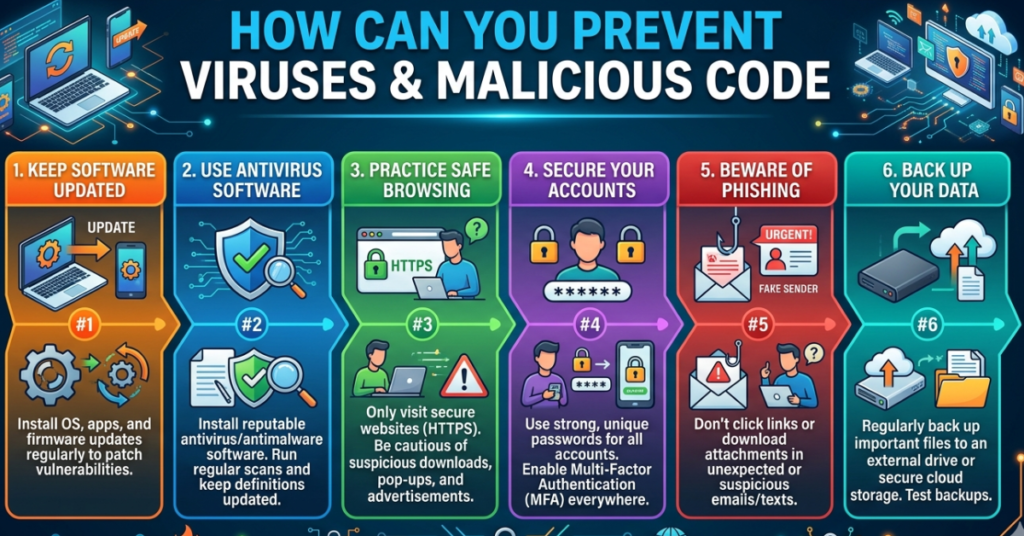

In today’s digital world, cyber threats are everywhere—from suspicious emails to infected downloads. Knowing how to prevent viruses and malicious code is more important than ever. With the right strategies, you can safeguard your devices, protect sensitive data, and enjoy a worry-free online experience. This guide breaks down the most effective steps to keep malware and viruses at bay.
Understanding Viruses and Malicious Code
Before diving into prevention, it helps to understand what these threats are.
- Viruses: Programs that replicate themselves and disrupt normal computer operations.
- Malware: Broad category including viruses, trojans, ransomware, and spyware.
- Malicious code: Any software intentionally designed to harm, steal data, or disrupt systems.
Knowing the difference helps you choose the right prevention measures.
Best Practices to Protect Your Devices
1. Keep Software and Systems Updated
Outdated software is a hacker’s playground. Always:
- Enable automatic updates for your operating system.
- Update apps and browsers regularly.
- Install security patches promptly.
2. Use Reliable Antivirus and Anti-Malware Tools
A strong security suite can detect and remove threats before they cause damage. Consider:
- Installing a trusted antivirus program.
- Running regular system scans.
- Enabling real-time protection.
3. Practice Safe Browsing Habits
Many infections come from unsafe websites or downloads. Tips include:
- Avoid clicking on unknown links or pop-ups.
- Download software only from official sources.
- Check URLs carefully for phishing attempts.
4. Secure Your Email and Attachments
Emails are a common attack vector. Protect yourself by:
- Not opening suspicious attachments.
- Avoiding links in unsolicited emails.
- Using email filters to detect spam or phishing attempts.
5. Use Strong Passwords and Multi-Factor Authentication
Weak passwords make it easy for attackers to gain access. Make them strong:
- Mix letters, numbers, and symbols.
- Use unique passwords for each account.
- Enable two-factor authentication whenever possible.
6. Backup Your Data Regularly
Even with prevention, accidents happen. Protect important files by:
- Using cloud storage or external drives.
- Scheduling regular backups.
- Testing backup restoration occasionally.
Advanced Tips for Enhanced Protection
- Consider a VPN for safer browsing on public Wi-Fi.
- Disable macros in documents unless necessary.
- Limit administrator privileges on your devices.
FAQs
Q1: Can free antivirus programs prevent viruses effectively?
A: Free versions offer basic protection, but paid software usually provides advanced features like real-time monitoring and ransomware protection.
Q2: How often should I scan my computer for malware?
A: Weekly full-system scans are recommended, along with real-time protection running at all times.
Q3: Are emails the main source of viruses?
A: Emails are common, but malware can also spread through downloads, infected websites, and removable media.
Q4: Can I prevent all malicious code completely?
A: No solution is 100% foolproof, but following best practices greatly reduces the risk.
Q5: Do mobile devices need antivirus protection?
A: Yes! Smartphones and tablets are also vulnerable to malware, so use security apps and avoid suspicious downloads.
Conclusion
Learning how to prevent viruses and malicious code is essential in the digital age. By keeping your software updated, practicing safe browsing, using strong passwords, and installing reliable security tools, you can protect your devices and personal data. Start with these steps today and explore additional cybersecurity resources to stay ahead of emerging threats.